
VERDICT: A tag describes a contact. A campaign holds a sequence of emails. An automation rule connects an event to an action. I keep those jobs separate because when three nerdy tools all get told to “handle the welcome email,” the inbox turns into a clone factory.
My plain-English rule is: when this happens, do this for this person. If I cannot explain the automation without pointing at six menus and whispering “trust me,” it is not ready for real subscribers.
Here’s the quick comparison before I get into the weeds.
Quick Comparison
| What I’m Comparing | What Matters |
|---|---|
| Give each component one job | Systeme.io’s tag guide describes tags as a way to classify contacts and target groups. Tags are created under CRM → Tags and can also be created within automation rules. A useful tag might represent the… |
| Build the message before turning on the conveyor belt | In Emails → Campaigns , create the campaign and its messages. The current guide supports classic and visual editors and warns that switching editors while working can lose the content. Save a separate copy… |
| Connect a specific event to a specific action | Under Automations → Rules , the interface separates triggers from actions. The official guide gives examples such as a particular funnel form being submitted, a new sale or a tag being added. Choose the… |
| Timing is more than a number in a delay box | The campaign guide says email timing can depend on a previous email, a delay and optional day/time restrictions. All configured conditions must be satisfied. A message with a short delay may still wait for… |
VERDICT
Amazing: A small, named setup with one clear entry event and an easily checked outcome.
Good: Tags that describe something meaningful, with a written definition your future self can understand.
Mid: A forest of almost-identical tags and overlapping welcome messages. Automation can multiply confusion very efficiently.
Affiliate disclosure: Purchases through HBH’s Systeme.io link may earn me a commission at no extra cost to you. This does not establish that the software will generate sales or that every workflow belongs in it.
How I checked it: Official Systeme.io tag, rule, campaign and workflow guides were checked October 4, 2026. Examples are hypothetical. I am explaining documented features and my recommended design process, not claiming Honey has run or tested these campaigns.
Conceptual HBH illustration—not the platform’s interface or a live subscriber record.
Give each component one job
Systeme.io’s tag guide describes tags as a way to classify contacts and target groups. Tags are created under CRM → Tags and can also be created within automation rules. A useful tag might represent the offer someone requested or the product they bought. Tag guide.
Component: Tag
Plain-English job: Describe or group the contact
Example in a hypothetical welcome setup: Requested beginner workbook
Component: Automation rule
Plain-English job: React to an event
Example in a hypothetical welcome setup: The chosen signup form is submitted
Component: Campaign
Plain-English job: Deliver an ordered email sequence
Example in a hypothetical welcome setup: Workbook help, useful next step, optional offer
Component: Workflow
Plain-English job: Handle a more involved path
Example in a hypothetical welcome setup: Branch based on a condition, wait, then act
The tag name should tell you something. “New 2 final” is not a system; it is an archaeological clue. Use a consistent naming convention and keep a short definition beside each tag in your operating notes.
Build the message before turning on the conveyor belt
In Emails → Campaigns, create the campaign and its messages. The current guide supports classic and visual editors and warns that switching editors while working can lose the content. Save a separate copy of important copy before making that change. Campaign setup.
For the hypothetical workbook, start with the thing the person asked for. Tell them how to use it and where to get help. Do not make them survive three promotional emails before finding the download they expected.
Write each message’s purpose in one line. If two messages have the same purpose, combine them or make the distinction useful. A sequence does not become more valuable merely because it has more stops.
Connect a specific event to a specific action
Under Automations → Rules, the interface separates triggers from actions. The official guide gives examples such as a particular funnel form being submitted, a new sale or a tag being added. Choose the actual asset involved, then the action you want. A tag-triggered rule expects the tag to be added after the rule is configured. Automation-rule guide.
Do not assume that creating a rule today means it has processed every contact who already had the tag last month. Plan any treatment of existing contacts deliberately and preserve their permission and subscription preferences.
For a new signup, document the entry event, the campaign destination and any supporting tag. Check whether another rule already sends a similar welcome message. Two perfectly functional rules can still produce one very annoying customer experience.
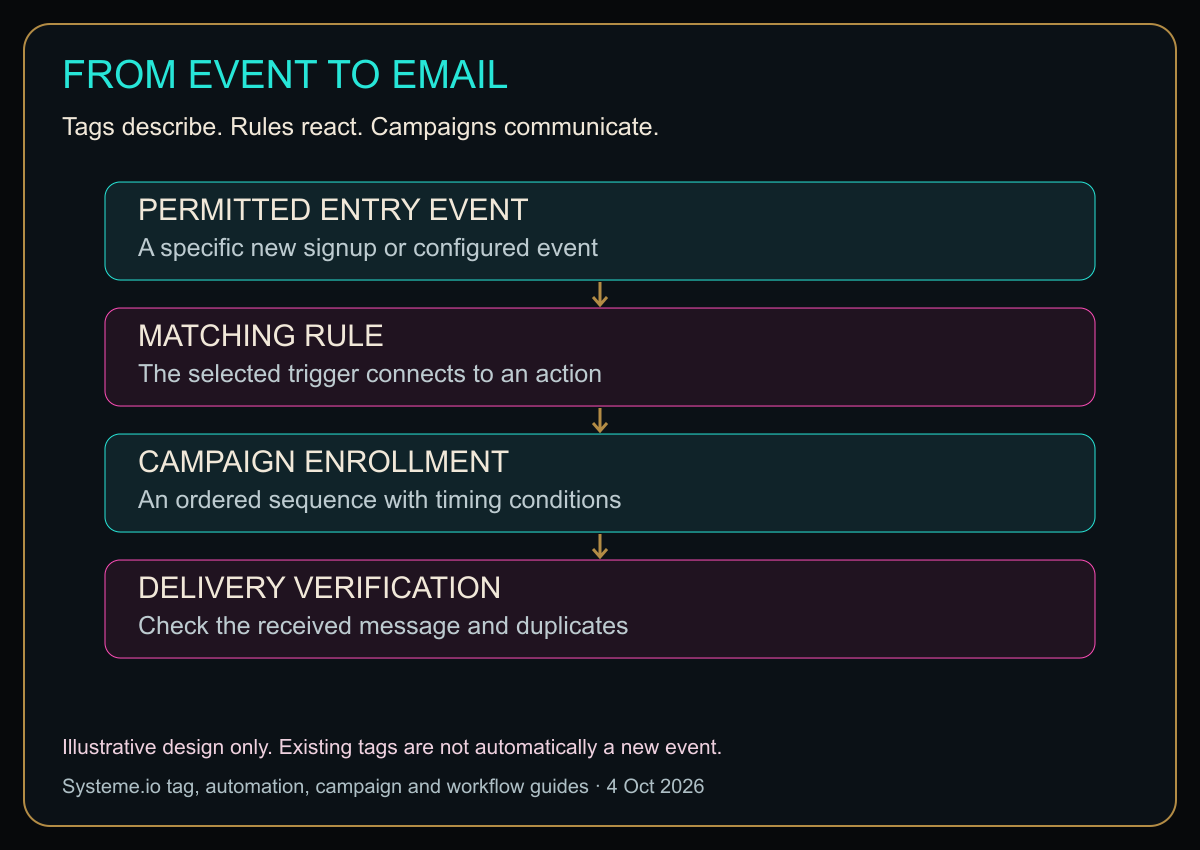
Diagram in words: PERMITTED ENTRY EVENT: A specific new signup or configured event. MATCHING RULE: The selected trigger connects to an action. CAMPAIGN ENROLLMENT: An ordered sequence with timing conditions. DELIVERY VERIFICATION: Check the received message and duplicates. Illustrative design only. Existing tags are not automatically a new event.
Original HBH process map informed by the linked documentation. It illustrates a possible design, not a live automation or evidence that messages were sent.
Timing is more than a number in a delay box
The campaign guide says email timing can depend on a previous email, a delay and optional day/time restrictions. All configured conditions must be satisfied. A message with a short delay may still wait for the next allowed sending window. Saving a draft is also separate from activating and configuring its timing. Campaign timing.
For your first sequence, keep the timing simple enough to explain on paper. Write the expected order and identify any intentionally restricted sending windows. Test with a controlled contact instead of assuming that a message failed merely because your mental timer expired.
If the email is a time-sensitive delivery message, ask whether your extra weekday restriction makes sense. An automated welcome that waits until next week may be obedient software and poor design at the same time.
When to graduate from a rule to a workflow
Systeme.io’s workflow guide offers action, decision and delay steps. It also says workflows do not retroactively trigger for events that occurred before activation. That makes a workflow relevant for branching journeys, not a magic way to repair historical processing automatically. Workflow documentation.
A reasonable decision point might be whether someone has already purchased the product being promoted. The editorial goal is to avoid sending an inappropriate message, not to build the most impressive-looking diagram in the account.
Do not duplicate the same responsibility in both a rule and a workflow without understanding why. Pick one owner for each automatic message and document it. This is easier to maintain when a teammate inherits the setup later.
Test the event, not just the email template
Use an address you control. Trigger the exact signup or test event, then inspect the resulting contact state, campaign enrollment and received message. A test email from the editor checks the message itself; it does not prove the entry rule works.
Keep a short test sheet:
- Which event did you deliberately trigger?
- Which rule or workflow should react?
- Which tag or enrollment should change?
- Which message should arrive, and under what timing conditions?
- What would indicate an unwanted duplicate?
- How will you prevent test contacts from polluting real reports?
Inspect relevant task history promptly. The rule guide currently says automation-rule history is retained for one month, so do not assume an old event will remain visible forever. Rule-history retention.
Should you use this stack?
It fits a business that wants a straightforward signup-to-email journey in one platform. Check current plan limits for the number of rules, workflows and campaigns you need. Start with a small working path before upgrading for complexity you have not actually needed.
Explore Systeme.io through HBH’s affiliate link
My plain-English sales-funnel guide explains where a welcome sequence fits in the bigger journey.
Does a tag send an email by itself?
A tag is not an email. The relevant configured rule, workflow or campaign connection must do the sending work.
Why is the next email waiting?
Check activation, sequence position and every sending condition before rewriting the rule. A valid time restriction can explain a delay.
Labels organize. Rules react. Campaigns communicate. Give each one a clear job and your inbox will have fewer opportunities to become a circus.
Sources
Checked October 4, 2026. Account behavior must be tested before enabling real-audience sends.
Honey, Be Honest: Automation Is a Very Obedient Gremlin
Automation is not smart in the way people mean when they say smart. It is obedient. Tell it to send three overlapping welcome emails and it will do that with the confidence of a tiny digital employee who has never once asked, “Is this actually what you want?”
That is why I give every piece one job and test the actual trigger. Tags label. Rules react. Campaigns send. The less I make them improvise, the less likely my customer gets greeted three times before breakfast.


Leave a comment