
THE HONEST PART, BEFORE THE SHOPPING PART
As an Amazon Associate I earn from qualifying purchases. If you shop through our product links, HBH may earn a commission at no extra cost to you. This is a research-based comparison, not a hands-on hotel speed test.
For a new travel-router purchase, my first look would be the GL.iNet Beryl 7. The Beryl AX remains a sensible choice if its current price is meaningfully lower, especially when your laptop only needs gigabit Ethernet. Choose the Slate 7 because you actually want its touchscreen—not because a screen can bully hotel Wi-Fi into behaving.
I can handle a room key that needs three attempts. I can handle decorative pillows with no practical employment. What I would prefer not to do after traveling is conduct a hostage negotiation between my laptop, my phone, and a login page that keeps forgetting I exist. A travel router can give your devices one familiar network to join. It still needs a working Internet connection upstream. We are packing a useful little box, honey. We are not packing a miracle.
Cover: HBH conceptual artwork, not a photograph of a tested product.
Beryl 7 vs Slate 7 vs Beryl AX: the useful differences
The model numbers matter here. This comparison is specifically GL-MT3600BE, GL-BE3600, and GL-MT3000. A similarly named Pro, AX, or older Slate is a different product. These are portable routers for sharing an existing connection; none of these three is a self-contained cellular hotspot with a built-in mobile data plan.
| Model | Wired ports | Why consider it? |
|---|---|---|
| Beryl 7 / GL-MT3600BE | 2.5 Gbps WAN + 2.5 Gbps LAN | Dual-band Wi-Fi 7 in a compact body; no touchscreen |
| Slate 7 / GL-BE3600 | 2.5 Gbps WAN + 2.5 Gbps LAN | Dual-band Wi-Fi 7 with a touchscreen |
| Beryl AX / GL-MT3000 | 2.5 Gbps WAN + 1 Gbps LAN | Wi-Fi 6; a practical option when the price gap makes sense |
Specifications: GL.iNet’s Beryl 7 documentation, Slate 7 documentation, and Beryl AX documentation, checked September 20, 2026. Both Wi-Fi 7 models here use 2.4 GHz and 5 GHz; buying either does not add a 6 GHz radio.
Amazing for a new compact setup: Beryl 7

The Beryl 7 is my editorial pick for someone buying fresh who wants faster wired connectivity without choosing the larger touchscreen model. Its two 2.5 Gbps ports keep a gigabit-only LAN socket from being the obvious wired bottleneck. That is useful if you also use the router with faster connections away from hotels.
Here is the catch: you need the rest of the setup to benefit. A laptop’s gigabit adapter is still a gigabit adapter. A slow hotel connection is still a slow hotel connection. If your actual routine is email, a little streaming, and yelling “where is my charger?” into a suitcase, buy for convenience before buying for a bigger number on the box.
The manufacturer’s listed body dimensions are 120 × 83 × 34 mm. Its USB-C input supports 5V/3A, 9V/3A, or 12V/2.5A. Bring the supplied adapter or a properly matched supply and cable; the shape of a USB-C plug is not a promise that every forgotten phone charger will power every device.
Good when the deal is right: Beryl AX

The Beryl AX is the sensible “do I actually need to upgrade?” answer. It uses Wi-Fi 6 and retains a 2.5 Gbps WAN port, but its LAN port is rated at 1 Gbps. Its specified power input is 5V/3A. Those are real differences; they are not evidence that it suddenly became incapable of helping you get through a normal trip.
If you already own one and it handles your devices and connections comfortably, I would not replace it merely to collect a higher Wi-Fi number. If you are buying now, compare the actual checkout totals, seller, return terms, and included accessories. A previous-generation bargain needs to be a bargain. When the cost difference is tiny, the case for buying the older model gets less persuasive.
It also makes sense to write down your non-negotiable requirement before browsing: one wired laptop, several wireless devices, or a particular VPN setup. Otherwise a fifteen-minute purchase becomes a three-hour relationship with specification tables. Nobody packed for that.
Mid for a simple traveler, useful for screen lovers: Slate 7
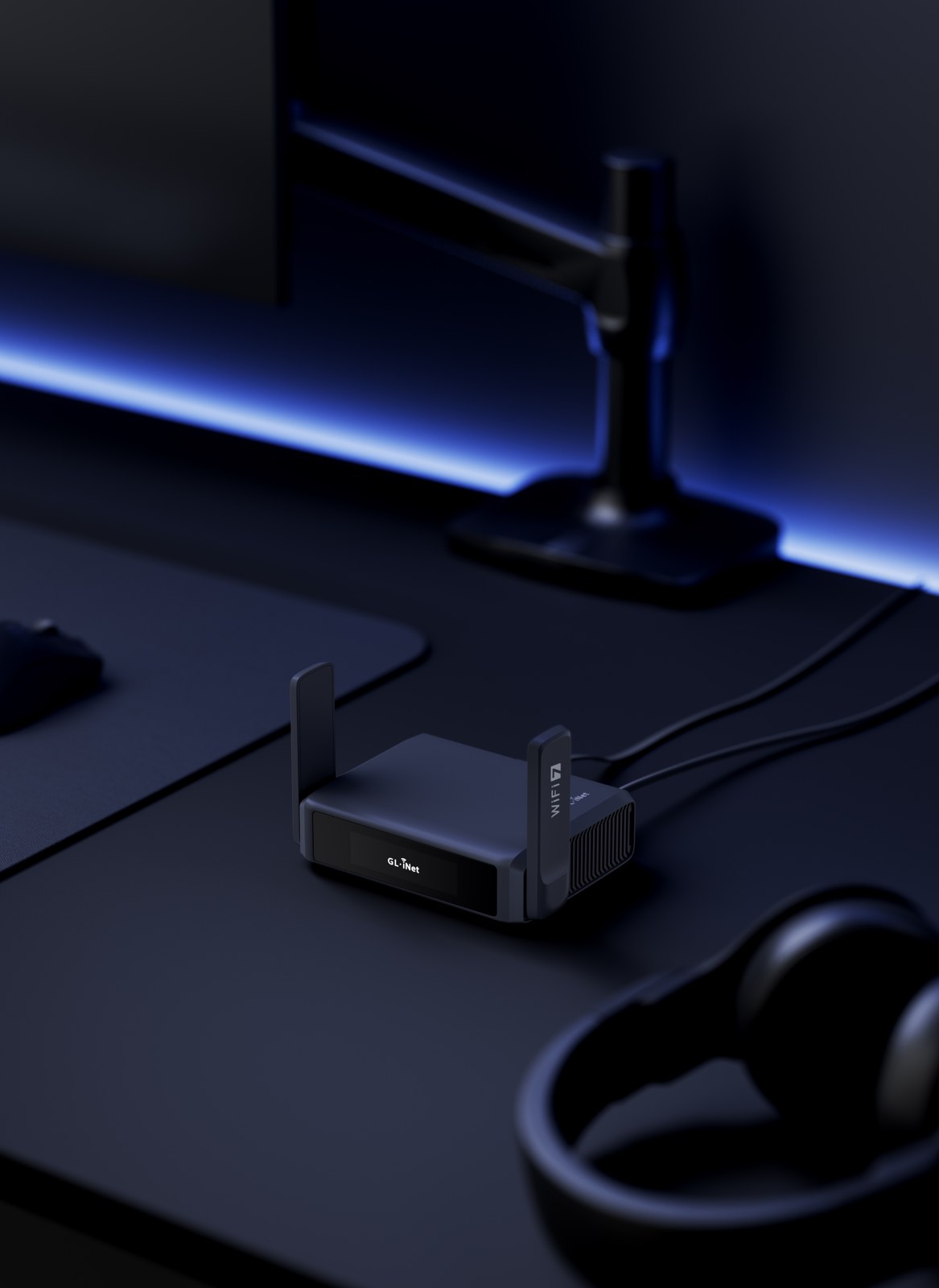
The Slate 7 is not a bad router. “Mid” is my fit verdict for the traveler who would barely use its touchscreen. It has dual 2.5 Gbps Ethernet ports, dual-band Wi-Fi 7, and a larger 130 × 91 × 34 mm body. The screen is the reason I would put it on your shortlist.
Some people appreciate seeing status and accessing supported controls right on the hardware. Other people set a router down, connect their laptop, and would prefer never to develop a personal relationship with it again. Be honest about which person you are. A feature can be genuinely useful and still be unnecessary for your suitcase.
Its specified USB-C power options match the listed 5V/3A, 9V/3A, and 12V/2.5A inputs above. I would keep the appropriate adapter with the router, not borrow from the mysterious cable drawer five minutes before leaving.
The graph: what those Ethernet numbers actually tell you
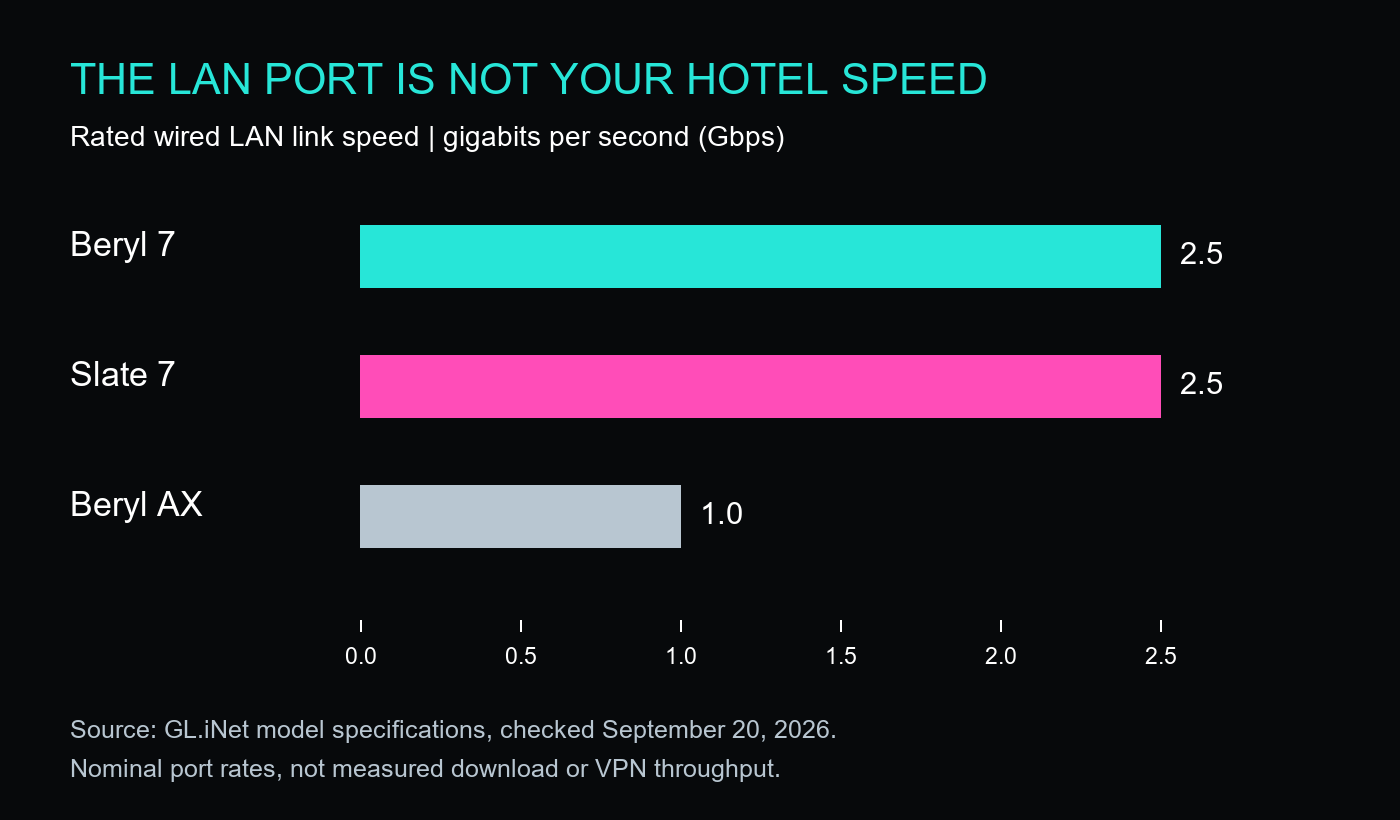
This graph compares the rated LAN port speed: 2.5 Gbps, 2.5 Gbps, and 1 Gbps. It does not show a speed test, Wi-Fi range, or VPN throughput. Its job is to flag the wired connection you would give a laptop or other Ethernet device. The source specifications are linked above, and every bar begins at zero.
For a made-up but useful example, a 100 Mbps hotel connection cannot become a 2,500 Mbps Internet service because you plugged in a faster router. That 100 Mbps example is arithmetic, not a measurement of any hotel. With wireless repeating, signal quality, competing traffic, and the upstream network add more variables. The bottleneck gets a vote whether we like its attitude or not.
Hotel captive portals: do the awkward part before movie time
GL.iNet’s repeater instructions explain joining an existing Wi-Fi network through the router’s Internet settings. A hotel’s sign-in page may still require a browser login. Public-hotspot login mode can temporarily suspend some services and switch DNS behavior; complete the login, then verify the connection and any VPN settings you intend to use. Read the prompts rather than assuming “connected” means every protection is active.
My packing-day advice: update through the manufacturer’s supported process, set your own admin and Wi-Fi passwords, and practice the setup at home. Save the official instructions where you can find them. Check the property’s network rules and use the access you are entitled to; router ownership does not cancel hotel or cruise restrictions.
The questions worth asking before you buy
Will a travel router give me Internet anywhere?
No. Plan an upstream connection. A travel router is not a replacement for cellular service where the hotel has no usable connection. If a work call matters, keep an independently usable backup connection and test it before the meeting—not while your boss watches a frozen version of your forehead.
Should I pay more for Wi-Fi 7?
Compare the actual price difference with the features you will use. Faster wired ports and newer wireless capabilities are easier to justify when your devices and connections can benefit. An existing setup that already meets your needs does not owe the technology industry an upgrade.
Is a travel router the answer to bad Wi-Fi at home?
Start with the home’s coverage and Internet-service problem. A travel-sized router and a whole-home mesh system answer different buying questions. Our eero mesh comparison is the more relevant next read if the upstairs bedroom has become an Internet dead zone.
HBH verdict: buy the ports, controls, and setup convenience you will actually use. Leave the fantasy of magically perfect hotel Internet in the same place as “I will unpack immediately when I get home.” Lovely idea. Limited supporting evidence.


Leave a comment