Honey’s verdict
For a movie-night setup with actual rear speakers, JBL Bar 1000MK2 gets Amazing on my feature shortlist. JBL Bar 500MK2 gets Good if you want a subwoofer without placing speakers behind the couch. JBL Bar 300MK2 gets Mid for that surround-cinema brief, but it is the one I would start with when keeping everything at the TV matters more than adding boxes.
How I chose: I checked JBL’s documentation, exact black U.S. Amazon listings and manufacturer press photos on September 10, 2026. This is a researched comparison; I have not listened to these systems side by side.
As an Amazon Associate I earn from qualifying purchases. Affiliate links may earn me a commission at no extra cost to you.
JBL Bar 1000MK2 vs 500MK2 vs 300MK2 looks like a contest between model numbers. The useful decision is much simpler: where will the speakers live? A surround kit only earns its space if you will actually put the rear speakers behind you. A separate subwoofer needs a home, too. Start with your room before falling in love with a feature list.
| Choice | Included setup | HDMI inputs* |
|---|---|---|
| Amazing: Bar 1000MK2 | Bar, sub and detachable rears | 3 |
| Good: Bar 500MK2 | Bar and sub | 1 |
| Mid: Bar 300MK2 | Single bar | 1 |
*These are source-device inputs, separate from the HDMI eARC connection to your TV. All three have eARC. The linked listings are the MK2 models; check that suffix before comparing an older-model deal.
Amazing: JBL Bar 1000MK2 for rear-speaker movie nights
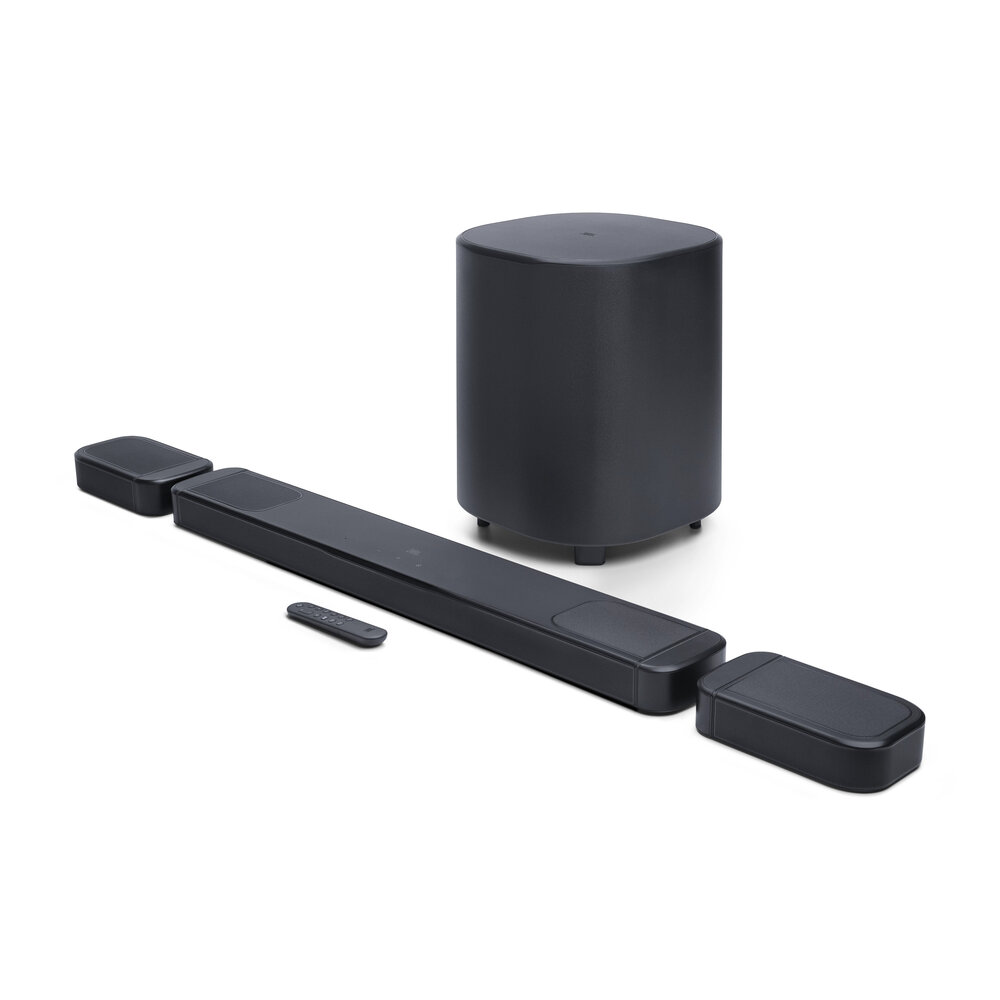
The 1000MK2 supplies a 10-inch subwoofer and two detachable rear speakers. Its documented 7.1.4-channel arrangement includes up-firing drivers in both the main bar and the rears. That gives it a clear hardware distinction from the other two, beyond a Dolby Atmos logo on the box.
The detachable speakers run on rechargeable batteries when you place them behind your seat, then dock on the bar to charge. JBL claims up to ten hours, depending on content and volume. That could suit a room where running power to rear speakers is awkward, provided you are willing to recharge them.
The catch is the routine: find stable rear-speaker positions, put them out and remember the batteries. There is also a subwoofer to accommodate. If those speakers will stay docked because moving them annoys you, I would think hard before paying for the larger kit.
Check JBL Bar 1000MK2 in Black on Amazon
Good: JBL Bar 500MK2 for a bar-and-sub setup
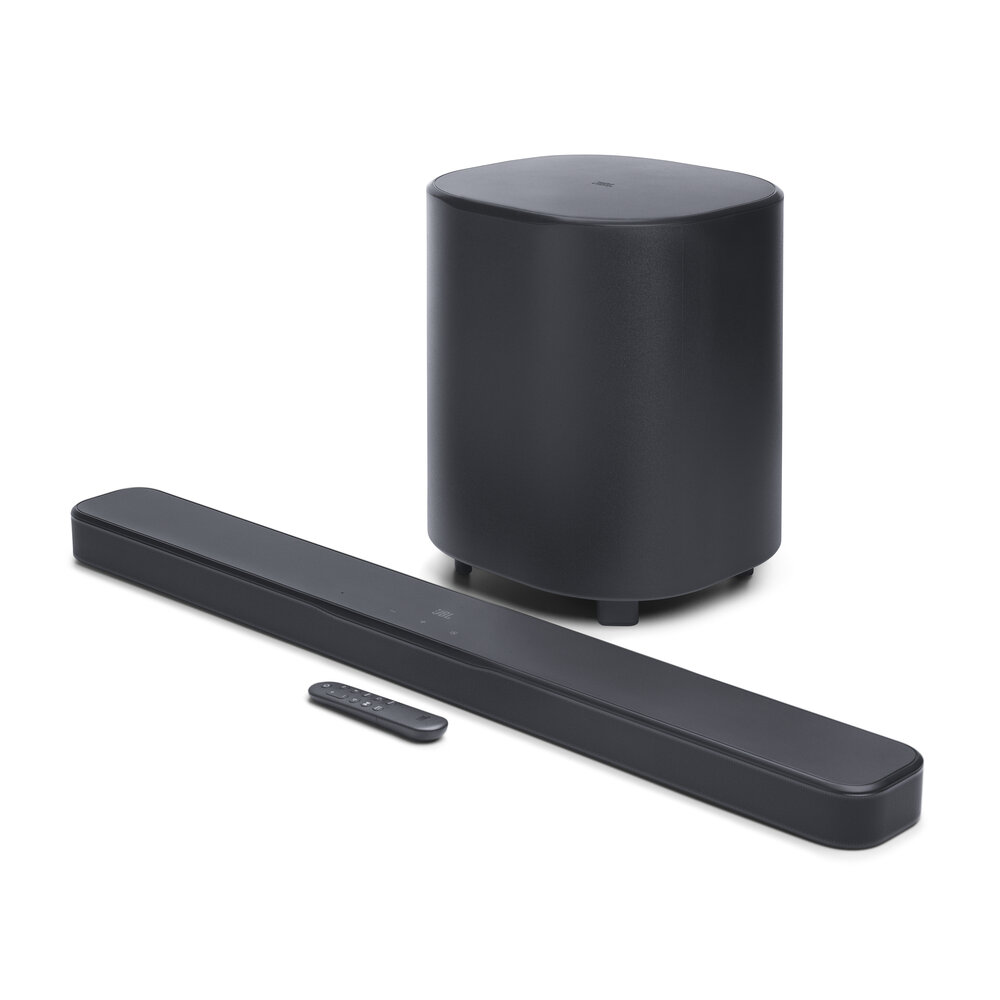
The 500MK2 gives you a 5.1-channel system with a separate 10-inch wireless subwoofer. It includes JBL’s PureVoice 2.0 dialogue processing and MultiBeam 3.0, along with app-based setup and sound calibration. Those are manufacturer-described features, not proof that it will sound better in every room.
This is the practical middle choice when you have room for bass hardware but do not want to manage rear speakers. The subwoofer’s audio connection is wireless; that does not mean it can sit anywhere without power. Plan the placement around an outlet as well as your furniture.
My hesitation would be buying it while secretly wanting speakers behind the couch. The supplied package does not include them. Choose the configuration you want now instead of assuming that any later speaker purchase will turn one JBL system into another.
Check JBL Bar 500MK2 in Black on Amazon
Mid: JBL Bar 300MK2 for the fewest separate pieces
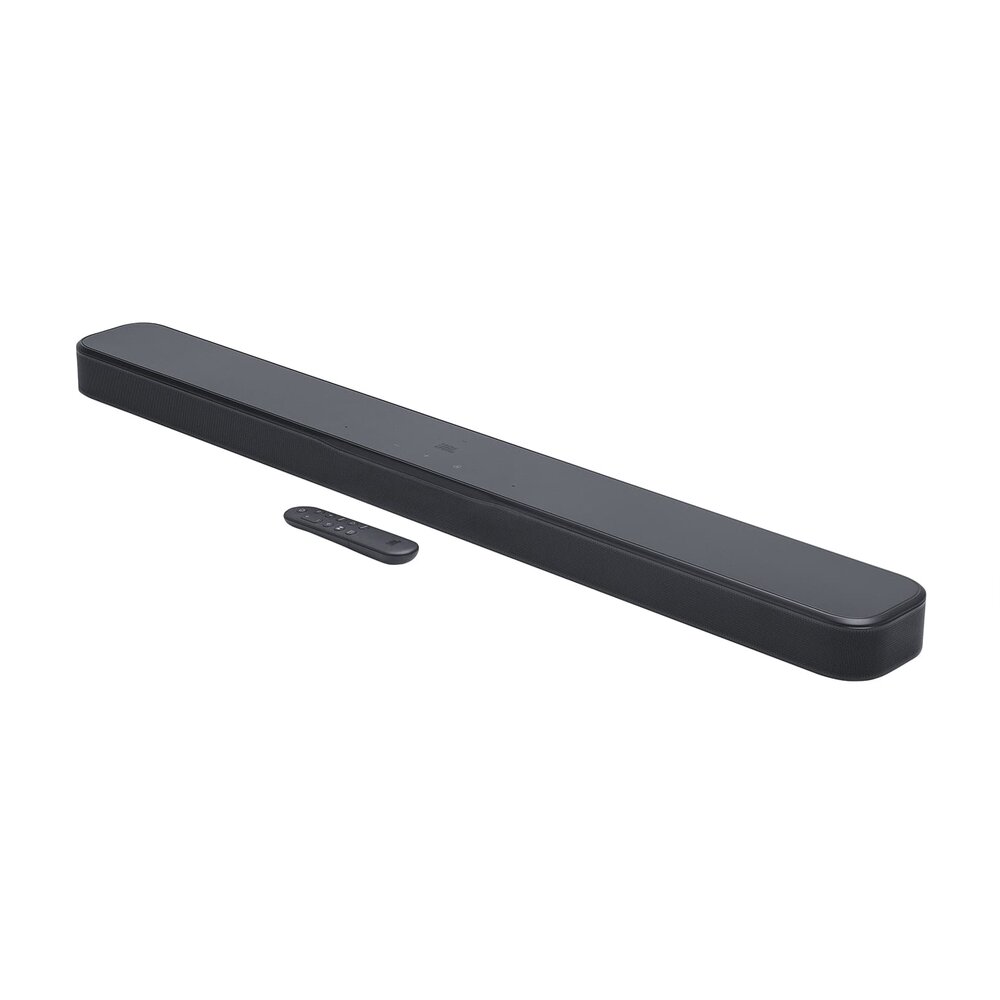
The 300MK2 is a 5.0-channel all-in-one bar with built-in bass ports and no separate subwoofer in the box. JBL still lists Dolby Atmos, PureVoice 2.0 and MultiBeam 3.0. Its bar measures about 37 inches wide, so “all-in-one” is not a promise that it will fit on a tiny shelf.
I put it third for a movie setup that prioritizes rear speakers and a dedicated sub. For someone who wants fewer things on the floor, that same omission is the selling point. Measure the TV stand and screen clearance, then compare the current offers. Model numbers do not guarantee that the simpler package is always the cheapest.
Check JBL Bar 300MK2 in Black on Amazon
Which TV connections should you check?
Each has an HDMI connection intended for the TV’s ARC/eARC port. JBL’s connection guide explains the supported routes for TVs and source devices. Check your exact TV’s ports and audio settings, plus the format your streaming app or player supplies. A soundbar’s Atmos support cannot make every program an Atmos soundtrack.
The 1000MK2 offers three HDMI source inputs; the other two offer one each. That matters if you want several devices connected directly to the bar. If the streaming device is also on your shopping list, our Roku and Fire TV stick comparison covers that part of the setup.
Which JBL soundbar should you choose for your room?
Pick the 1000MK2 when you will use the detachable rears. Pick the 500MK2 when a bar and subwoofer are the setup you actually want. Pick the 300MK2 when a single unit is the point. I would rather have the right number of boxes in sensible places than the biggest kit squeezed around a room that cannot accommodate it.
Sources
Manufacturer documentation: Bar 1000MK2 specifications, Bar 500MK2 specifications, Bar 300MK2 specifications, the 1000MK2 connection and charging guide, the 500MK2 manual and JBL’s launch press library. Prices and offers can change.
Love, Honey
 Honey, Be Honest
Leave a comment