
VERDICT: Before I rebuild a calendar, I inspect one missing slot and ask which rule blocked it. Duration, slot interval, buffers, connected-calendar conflicts, notice windows and timezones can all remove availability. The empty space I see is not automatically bookable space.
Before you rebuild a HighLevel calendar, inspect why one specific slot is unavailable. Working hours, appointment length, buffers, connected-calendar conflicts and timezone settings can all change what a customer is allowed to book. An empty space on your own calendar does not necessarily mean the booking widget should offer it.
Start with a real example: the date, time, calendar and team member you expected to be available. “The calendar is weird” is understandable, but it is not a very cooperative troubleshooting ticket.
Affiliate disclosure: my HighLevel link is an affiliate link. A qualifying purchase may earn HBH a commission at no extra cost to you. This guide is not a promise of bookings or revenue.
Quick Comparison
| Thing | What it controls | My sanity check |
|---|---|---|
| Appointment duration | How long the meeting occupies | I confirm the service length is what I think it is. |
| Slot interval | How often start times can appear | I do not confuse spacing with meeting length. |
| Buffers | Protected time before or after | I keep intentional breathing room. |
| Connected conflicts | Blocks times already busy elsewhere | I test one specific conflict instead of disabling the sync. |
| Timezone / notice | When a slot appears to the person booking | I test with an actual date and customer timezone. |
How I checked this: I checked HighLevel’s official missing-slot, calendar-diagnostics and setup guidance on October 13, 2026. This is a documentation-based troubleshooting guide, not a report of work performed in Honey’s calendar or a claim of hands-on results.
Separate duration, spacing and notice
Write down how long the appointment lasts, how much recovery or preparation time you need, and how close to the start a customer may book. Those are different business decisions. A fifteen-minute call can still require notes afterward; a long appointment can require advance preparation.
HighLevel’s missing-slot guide asks you to check the selected calendar, availability, assigned staff, service interval, duration and post-buffer settings. It also calls out external busy events and timezone alignment. Missing-slot checklist.
Your observation: A gap looks large enough but cannot be booked
Sensible first check: Duration plus surrounding restrictions
Do not immediately assume: The calendar is broken
Your observation: The host sees a different clock time
Sensible first check: User and viewer timezones
Do not immediately assume: Somebody entered the wrong appointment
Your observation: A whole day has disappeared
Sensible first check: Availability, overrides and assignment
Do not immediately assume: More marketing will fill it
Your observation: A team member is free but gets no bookings
Sensible first check: Calendar type and distribution settings
Do not immediately assume: Their connected calendar is necessarily disconnected
The comparison is a diagnostic starting point, not a definitive diagnosis of your account.
Use the built-in reason instead of guessing
In calendar settings, the troubleshooting tool exposes blocked-slot reasons. Its documentation distinguishes reasons such as buffer, insufficient duration, minimum notice, external conflict and unavailable users. It also says this view uses the logged-in user’s timezone—not the contact’s timezone. Calendar troubleshooting tool.
Inspect the particular date and time you wrote down. Record the reason before changing a setting, then decide whether the restriction is intentional. A buffer that protects travel time is not a bug. A stale holiday override might be.
Do not fix a hidden booking window by widening every working day. One targeted change is easier to verify and easier to reverse if you chose the wrong setting.
Buffers are business capacity, not decoration
Consider a hypothetical consultant who needs to read intake notes before a meeting and write follow-up notes afterward. Back-to-back client slots might be technically possible but operationally miserable. The calendar should reflect the work around the call, not just the minutes the camera is on.
Write an appointment policy that the team can follow: meeting length, preparation needs, cleanup time and maximum acceptable workload. Then map the policy to the actual options for your calendar type. Do not assume every type offers identical controls or that a copied calendar preserved everything you intended.
If appointments involve travel, avoid pretending one universal small buffer can cover every destination. A booking tool is not a reliable travel planner unless the exact supported behavior has been verified for that use.
Timezones need an actual date attached
Check the timezone shown to the person booking, the host’s profile and the resulting appointment. Record a full date and timezone instead of “three o’clock.” For teams spanning regions, inspect a future date around a daylight-saving transition as well as an ordinary week.
The purpose is not to memorize offsets; it is to confirm that both people mean the same instant. A booking that appears under different local clock times can be correct. A label that leaves the customer guessing is still a usability problem.
HighLevel’s setup guidance recommends a test booking to confirm the page, offered slots, saved appointment and connected meeting location. That is stronger evidence than admiring the setup summary. Setup and test-booking guidance.
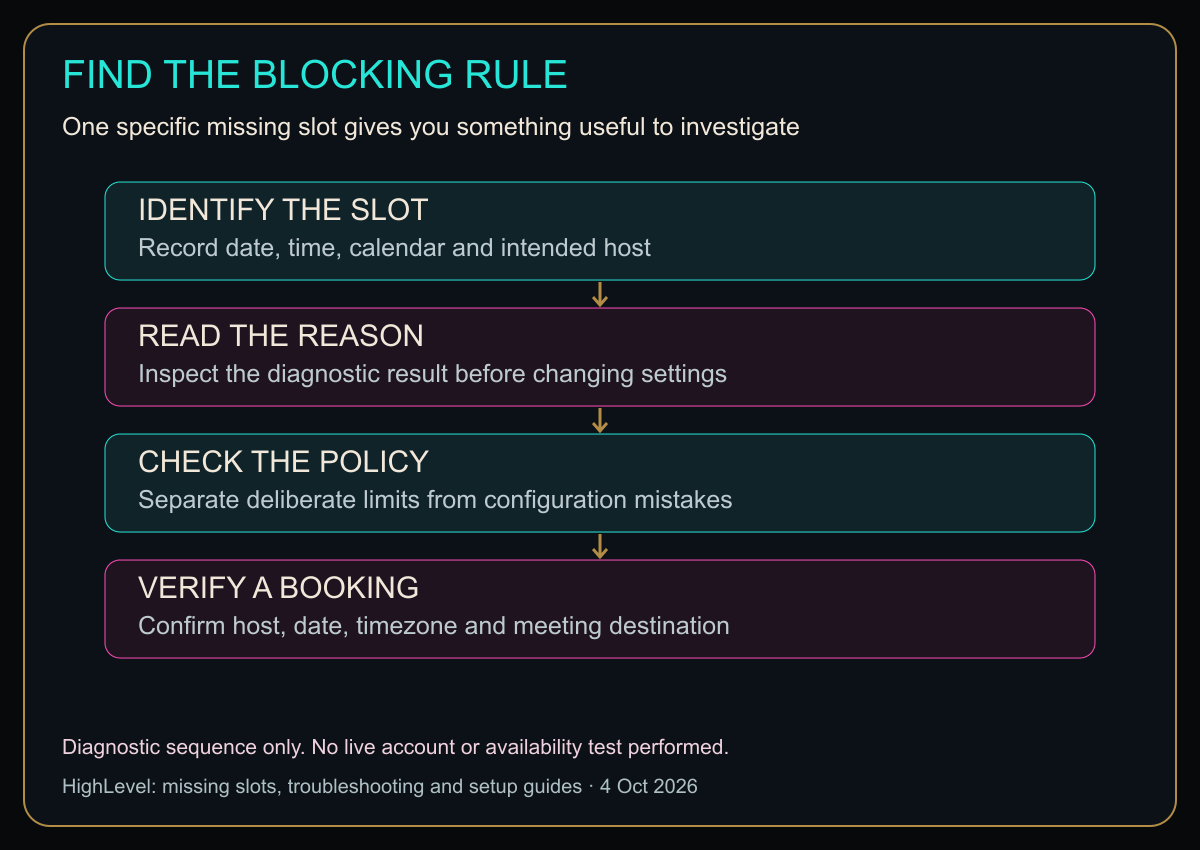
Open the diagram at full size for larger labels.
Original HBH troubleshooting map based on the cited HighLevel guides. It does not show real availability or establish an account-level pass.
Check connected conflicts without exposing private events
The missing-slot guide says connected busy events can block booking. Check the calendar actually selected for conflict handling and the relevant event’s availability status. Do not change a legitimate busy commitment to free simply to make the booking page look more available. Connected-calendar conflicts.
For support, share the calendar identifier, affected time and blocking reason with sensitive details removed. Your client does not need to see your personal appointment titles, and a teammate does not need your entire calendar history to investigate one missing slot.
A compact acceptance test
Use an authorized test booking—not a real customer’s identity—and verify these outcomes:
- A time that should be bookable is offered.
- A time that should be blocked stays unavailable.
- The intended host is assigned.
- The saved appointment and recipient confirmation refer to the same date and instant.
- The meeting destination works for the intended participants.
- Any test cancellation or reschedule is reflected where expected.
Keep notification side effects in mind before testing. A test appointment can still create messages or calendar entries. Tell the participating team member what is happening and clean up only your own test records.
Is HighLevel worth considering for this?
Amazing: inspecting one specific blocked slot before changing your rules. Good: manually checking the date, host and saved booking when the issue is isolated. Mid: buying a wider CRM just to avoid deciding your working hours. Those are editorial judgments about the approach, not measured platform scores.
It is relevant when appointment scheduling needs to sit alongside your customer-management workflow. If you only need a simple personal booking link, compare the ongoing administration and current costs with your actual needs before committing.
Explore HighLevel through my affiliate link
For the broader decision, see my HighLevel small-business review and plan comparison.
Fix the reason a slot is blocked, not your anxiety about the empty space. A calendar should make promises your actual working day can keep.
Diagram in plain text
- IDENTIFY THE SLOT: Record date, time, calendar and intended host
- READ THE REASON: Inspect the diagnostic result before changing settings
- CHECK THE POLICY: Separate deliberate limits from configuration mistakes
- VERIFY A BOOKING: Confirm host, date, timezone and meeting destination
Diagnostic sequence only. No live account or availability test performed.
Quick questions before changing a calendar
Does a missing slot mean the calendar is broken?
No. Check the specific blocking reason before removing a restriction that your working day needs.
Does the diagnostic view use my customer’s timezone?
HighLevel documents the logged-in user’s timezone for this view. Compare the customer-facing booking page and the saved appointment separately.
Should I switch off every buffer?
Only change a buffer when it contradicts your intended appointment policy. Preparation and recovery time are work, even if nobody sends them a meeting invitation.
Sources
Checked October 13, 2026. Confirm current settings for your calendar type before making live changes.
Honey, Be Honest: Why I Went Looking
I went looking because “the calendar is broken” is one of those sentences that can consume an afternoon. Usually the calendar is not broken. It is obeying six settings with the cold precision of a tiny scheduling attorney. I would rather find the guilty rule than delete every guardrail and create a new problem.


Leave a Reply